
I was on a support call recently with a client who runs a service business with area-based pricing, same job, different price depending on the postcode. Sensible enough, until his techs kept pulling up an old, retired price instead of the current one, no matter how many times he deleted the outdated item.
Here’s what was happening. In ServiceM8, deleting an item archives it in Xero, but if any job still references that old item, because a tech reopens or duplicates a job that had it on there, it repopulates straight back into the live database. So the item never really goes away. It just keeps resurrecting itself every time someone touches an old job.
The fix isn’t to keep deleting it. It’s to stop trying to make it disappear at all. Rename the outdated item clearly, something like “DO NOT USE PVC pipe”, so when a tech searches for it on site, the current version is obvious and the old one flags itself as wrong before they’ve even clicked it.
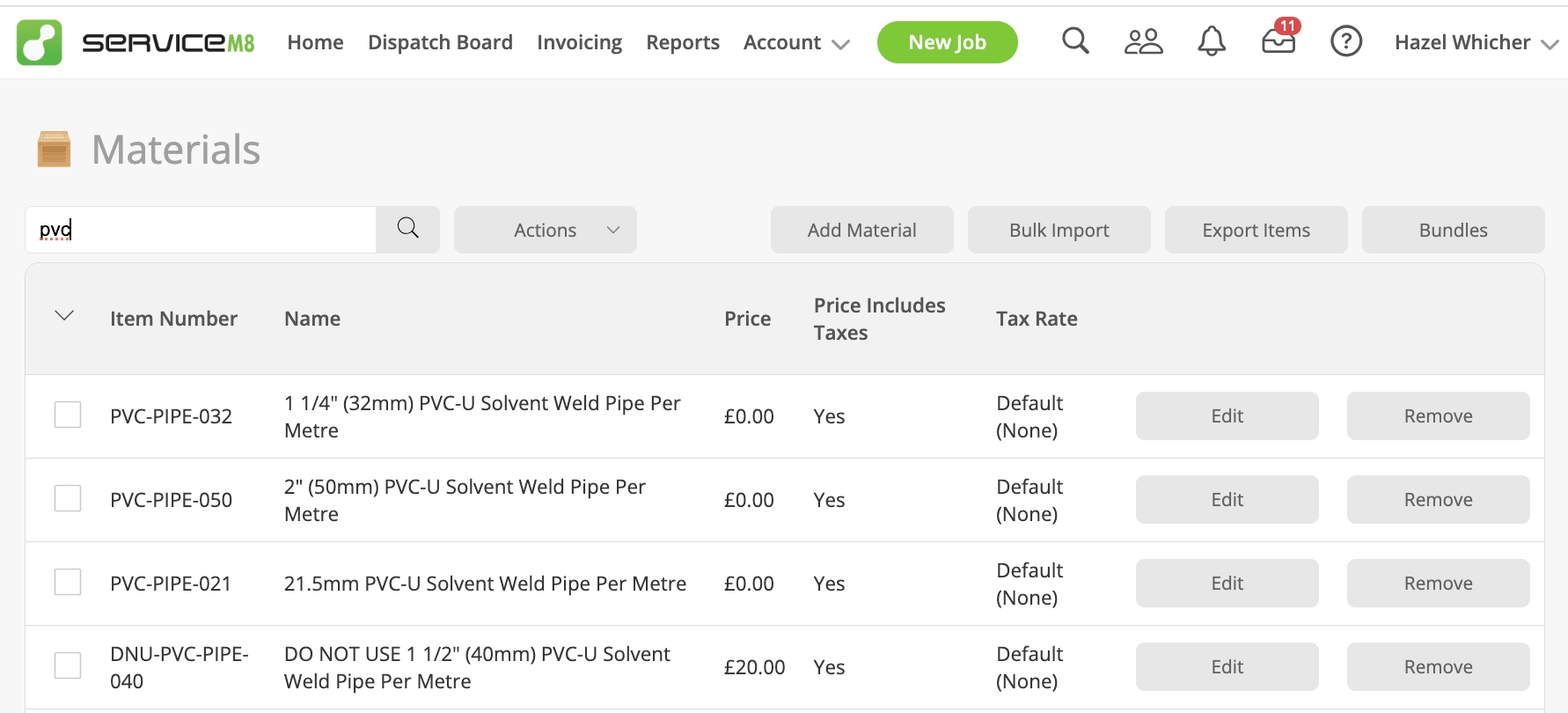
It sounds almost too simple, but it works because it solves the actual problem: techs aren’t being careless, they’re being shown two versions of the same item with no way to tell which one is current. Give them that signal and the mistake stops happening.
If you’ve got multiple versions of the same service floating around your item list for different clients, areas, or tiers, this is worth checking and changing today.

