
I used to send emails via Zapier that looked like this:
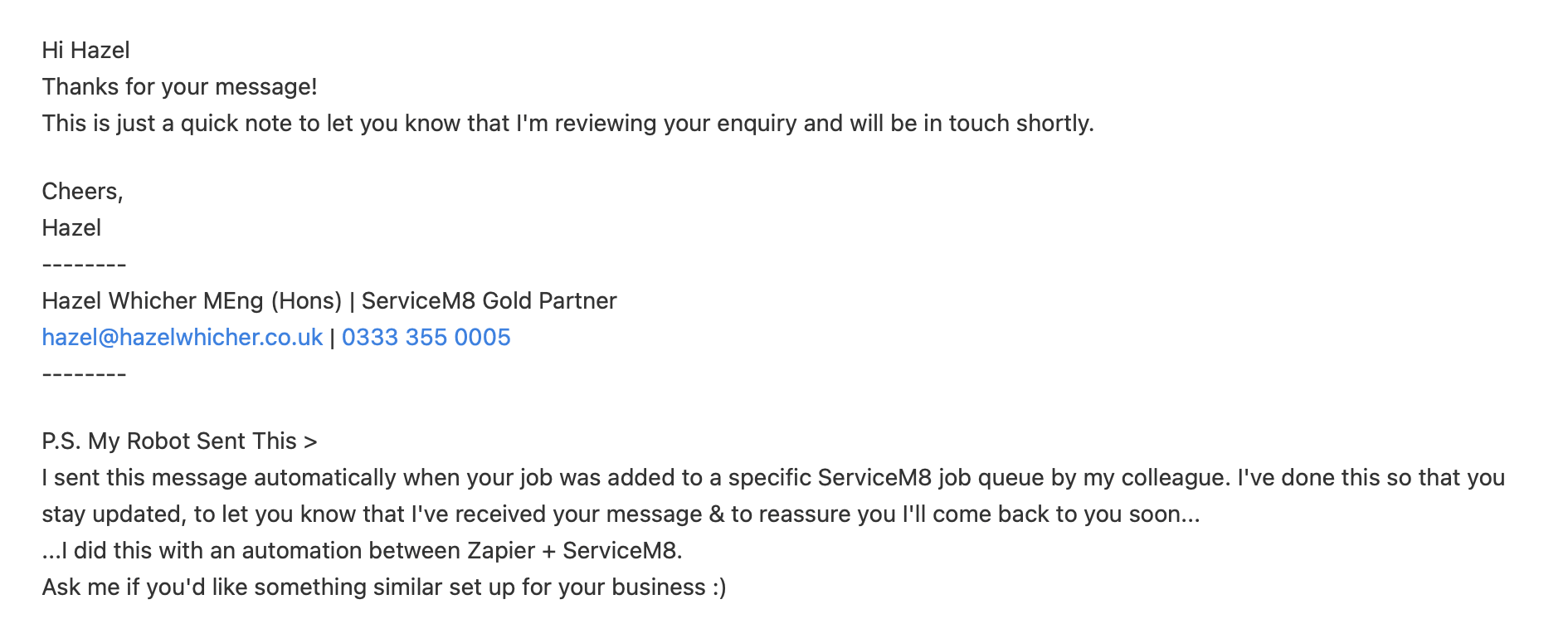
But now, using n8n and the code generated from my email signature software htmlsig, I now send automated emails that look like this:
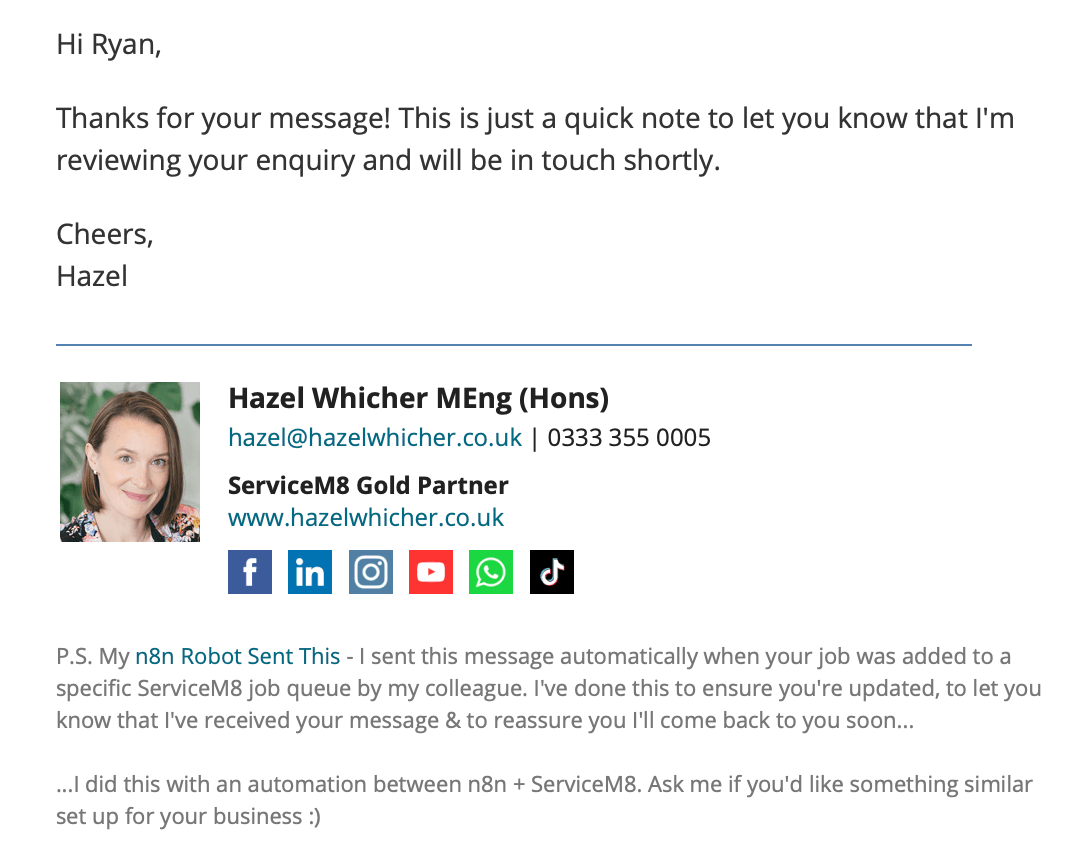
How?! I hear you cry!
Well, I use htmlsig to create my email signature.
Once created, I clicked on the Source Code button
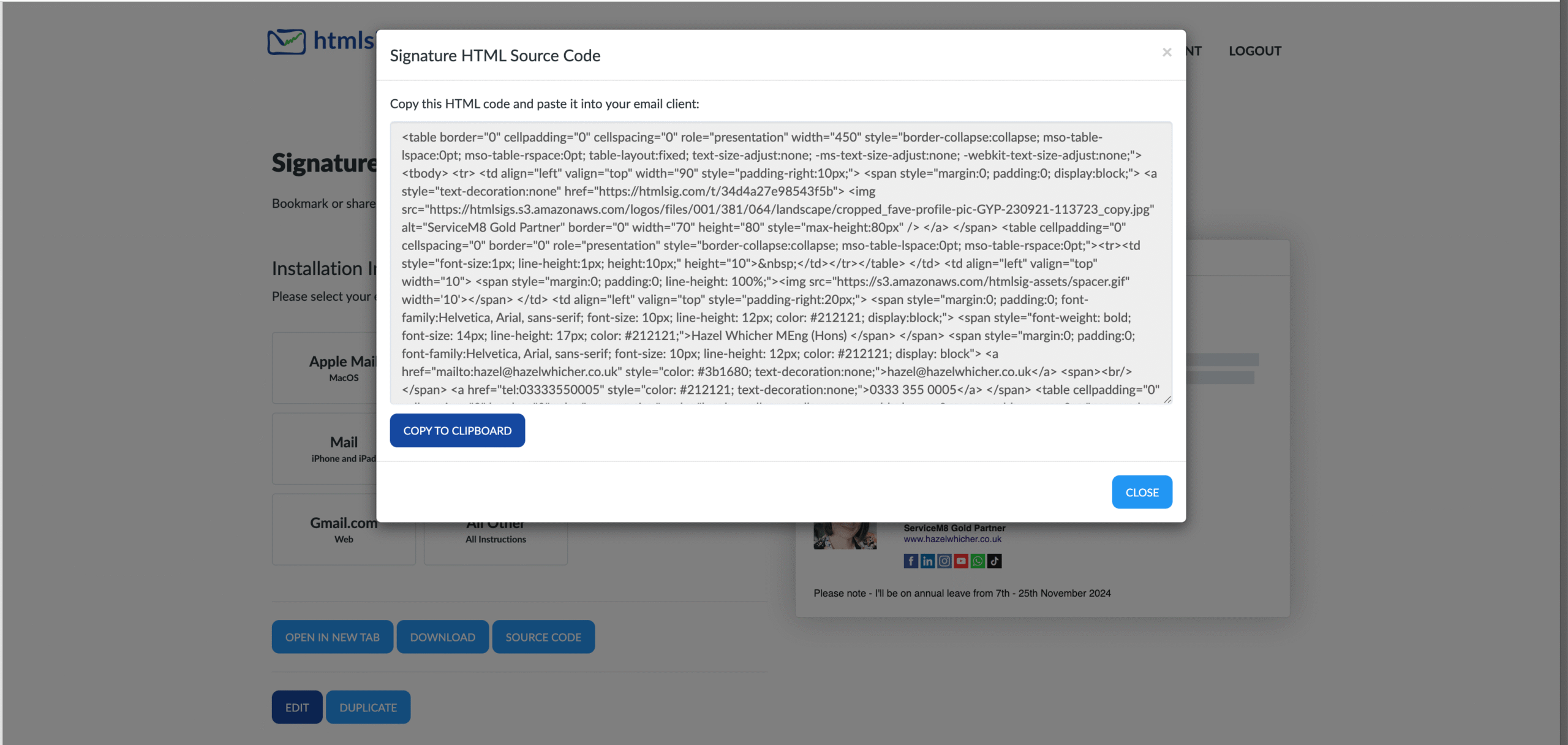
Then, I added a Microsoft Outlook node in n8n, opened the Expression box, typed my message and copied and pasted the HTML for the signature below.
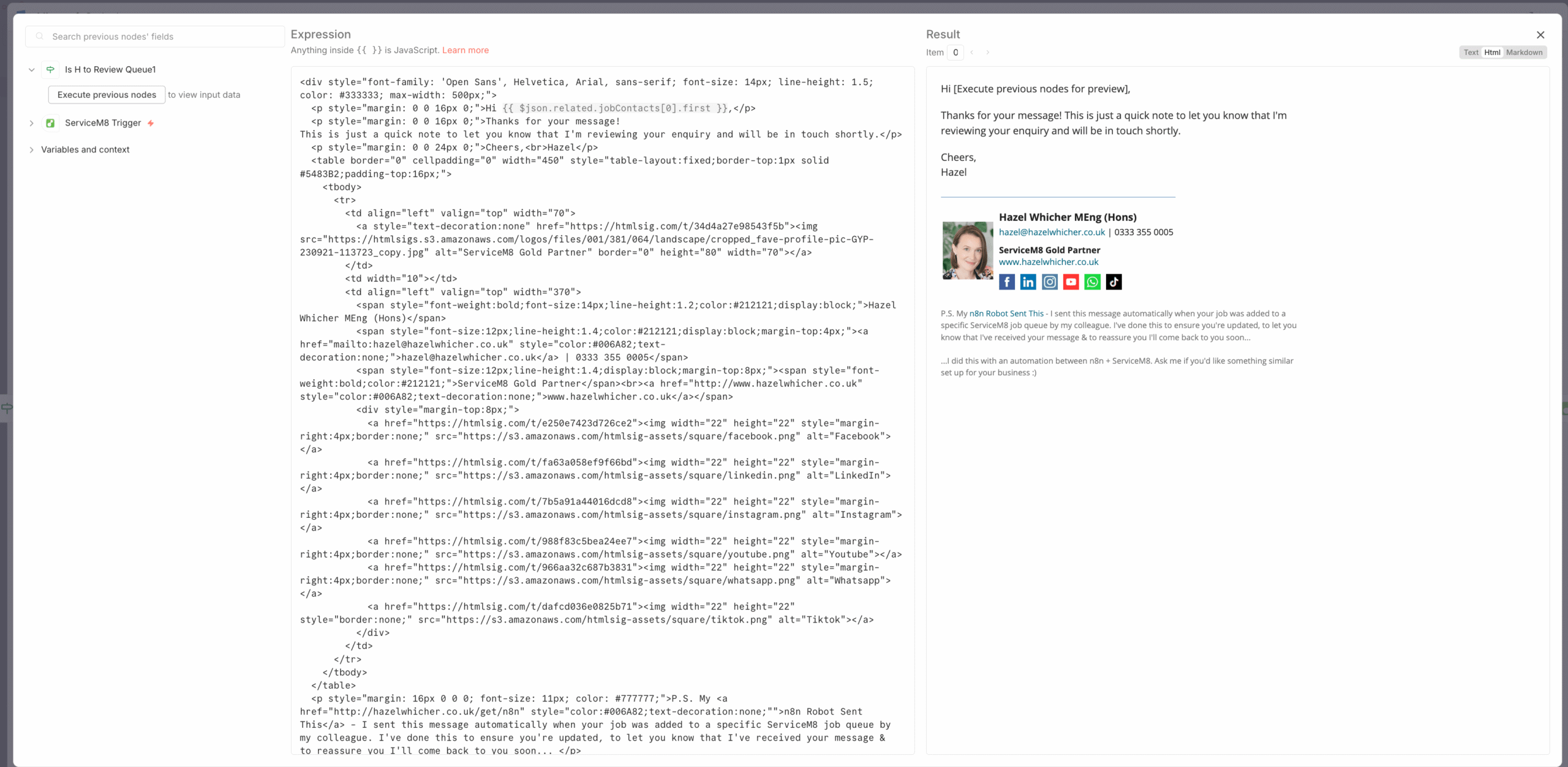
You should see it show up in the Result (preview) box on the right hand side – click on the Html option in the top right to see it rendered properly 🙂
Have you got a good looking email signature? It’s a small tweak, but worth the effect in my opinion…
Are you already using n8n? I’d love to hear what you’re automating – or what you wish you could automate.
Whether you use ServiceM8, run a trade business, or simply want to save time on repetitive admin, ask me about ready-made and custom n8n workflows. Drop a comment or send me a message and I’ll help you work out what’s possible.
Ready to try n8n? You can sign up using my partner link: https://hazelwhicher.co.uk/get/n8n
#WorkflowWednesday

