
If you’ve ever sent a tech out on site, only to end up ringing them that evening (or worse, grilling them the next morning) just to get enough detail to put a quote together, you already know this pain.
That was one of the biggest time sinks when I ran my heating business. In the early days of using ServiceM8, I didn’t have the right setup in place to get proper information out of the guys after a visit. It cost me time, cost them time, and delayed feedback to property managers, which just meant more calls and emails from those same property managers chasing an update.
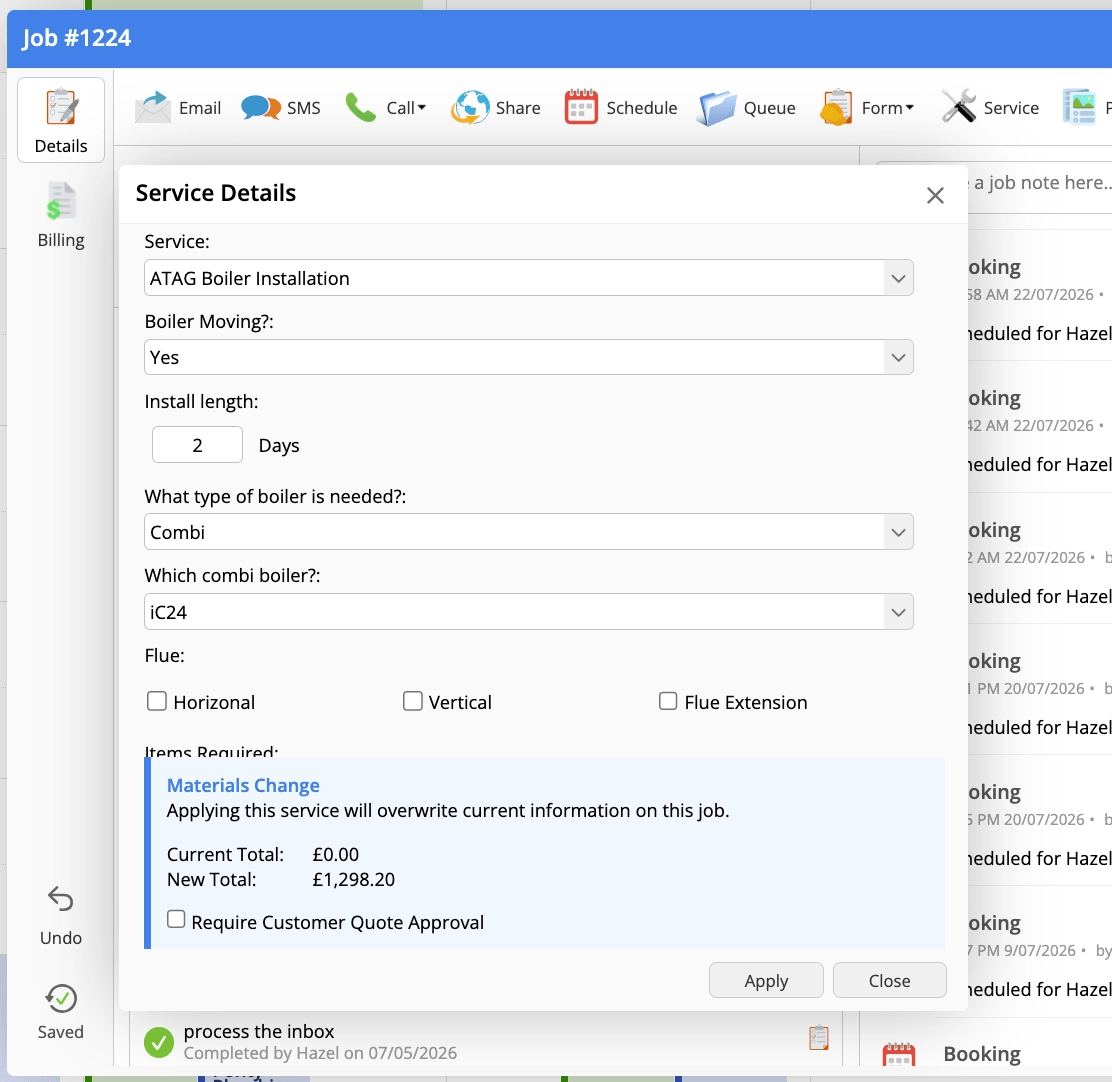
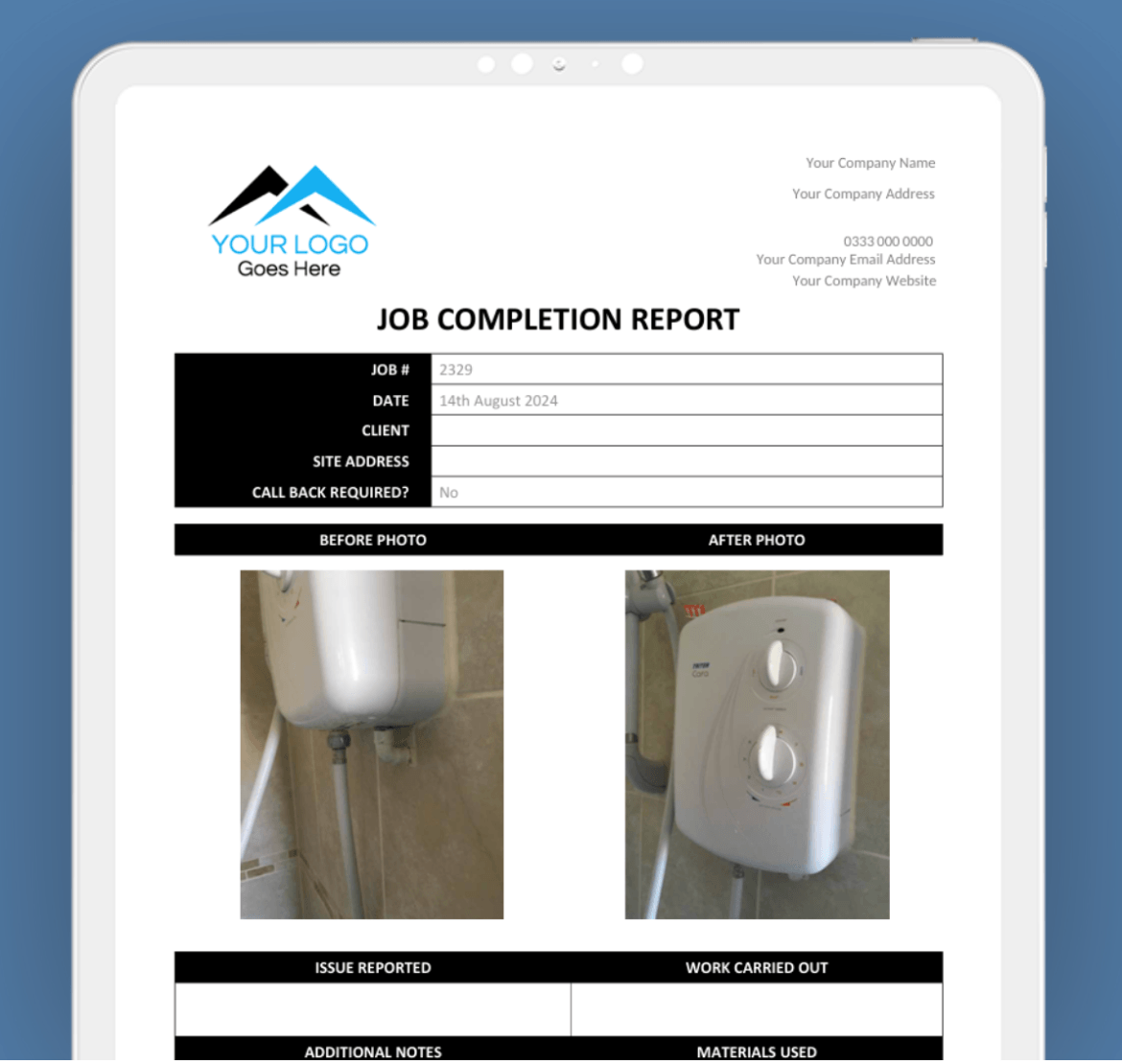
What changed things was two ServiceM8 tools I started to use properly: a custom Service for site surveys, and a custom Form for a simple job completion report after every visit. Which one you use depends on the job and what you want out the other end, whether that’s proposal-ready pricing or just a clear visit report.
Custom Service: this uses ServiceM8’s Services and online booking feature, but instead of publishing it externally for customers to book, you publish it internally, for staff only. Your tech answers a set of questions on site, and those answers can populate the billing tab directly. You can then produce a quote straight from the billing tab, or use the totals alongside a proposal template to get pricing onto a proposal quickly.
You can also set answers to generate checklist items, so the survey builds a checklist of what needs installing or checking as the tech works through it.
Custom Form: you’ll need the Growing plan or above to build your own, or get a partner to build one for you. Forms are a lighter, info-only option. They don’t touch billing or checklists the way a Service does, they’re purely for capturing information in a structured way.
Not sure which to use?
If you’re not sure which to use, know that a Service can be started, saved, and picked up again by anyone, at any time, on any device. It doesn’t care who continues it. A Form is different. It can be paused and resumed, but only by the same tech, on the same device they started it on. If you need someone else, another tech, or the office, to pick up where they left off, the form has to be completed in full first. From there you’d use one of ServiceM8’s two edit options to make changes, but be aware that doing so strips off any signatures already captured on it.
So if your techs need to start something on site today and finish it tomorrow themselves, a Form handles that fine. If you need flexibility for anyone in the business to jump in and continue the work, a Service is the better fit, and it has the added bonus of feeding straight into your quote.
Do you use custom Services for site surveys or custom Forms for reports?
How much time have they saved you?

