
This is one of those things you can stare at for months without really seeing it.
I only clocked it properly recently, and once you notice it, you can’t unsee it.
In ServiceM8 Proposals, any items that are hidden from the customer are shown in grey on your side. It’s subtle, but it’s actually doing you a favour.
What this looks like in practice
The clearest example is in Parts & Materials, when you compare:
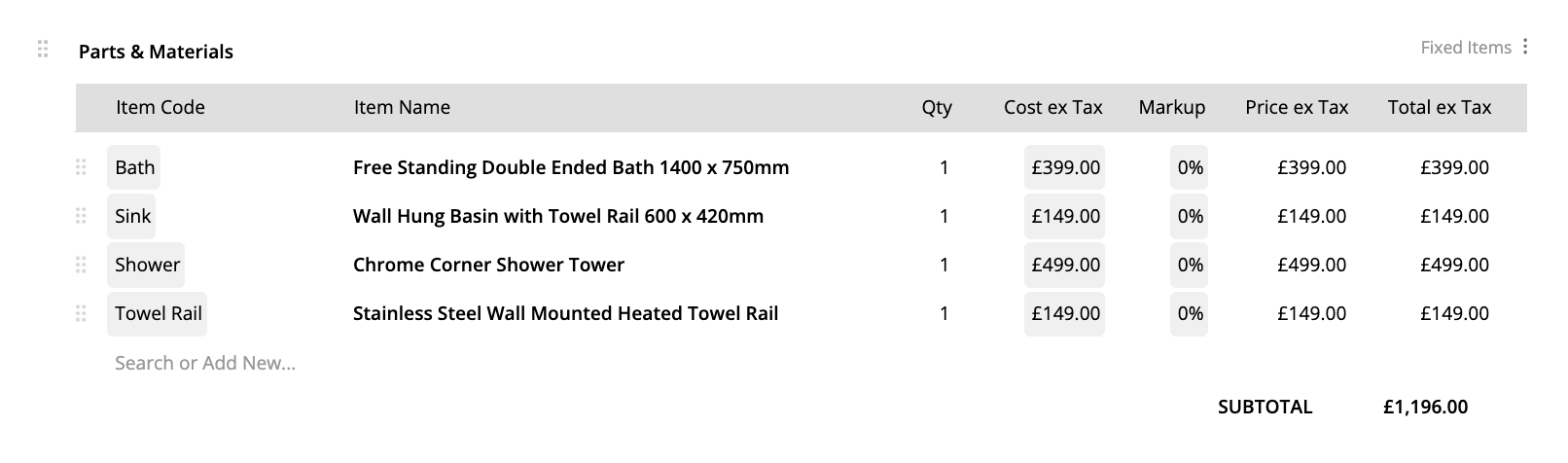
- Fixed Items (full detail shown to the customer)
- Fixed Items (Subtotal Only) – individual line item pricing is hidden
Here’s a normal fixed items materials table, where Item Name, Qty, Price ex Tax and Total ex Tax is visible to the customer:
And here’s the subtotal only version, where the Price ex Tax and Total ex Tax columns are also hidden from the customer:
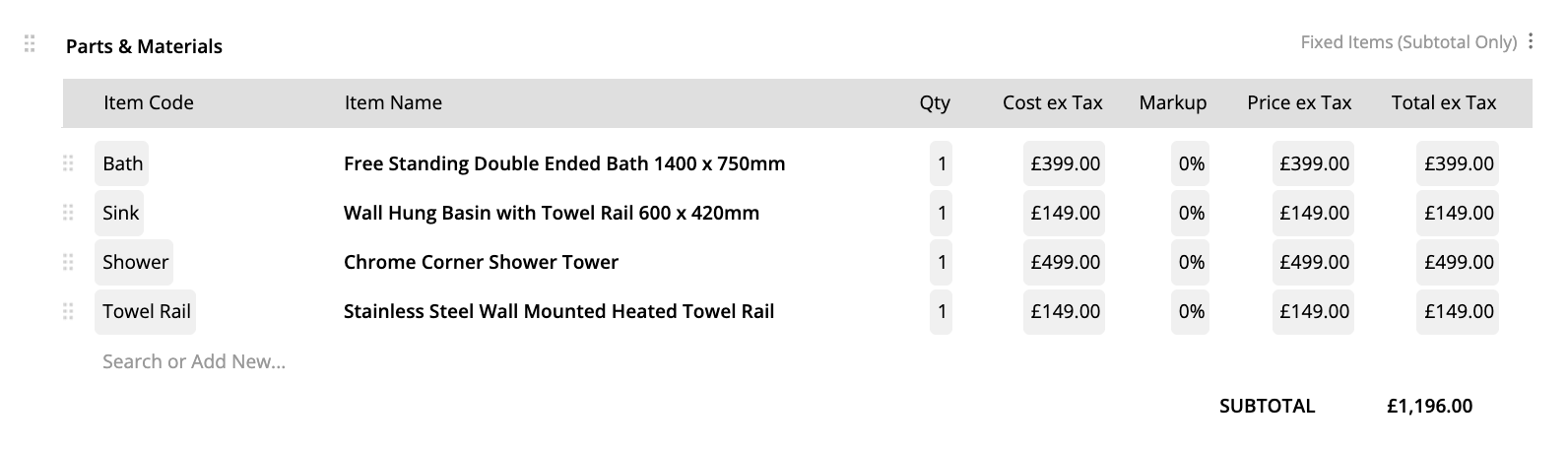
On your screen, those hidden items appear greyed out.
That’s ServiceM8 telling you: “This is included in the price, but the customer won’t see the breakdown.”
Why this matters more than people realise
A lot of business owners worry they’ve done something wrong when they see greyed-out items. They assume:
- it won’t be charged
- it won’t be included
- or it’s somehow incomplete
None of that’s true. The items are still:
- counted in the totals
- included in your pricing
- part of the proposal logic
They’re just intentionally hidden from the customer view.
This is especially useful when:
- you don’t want customers price-checking every fitting
- you’re quoting a fixed-price job
- materials vary but the outcome doesn’t
- you want to control how much detail you expose
You get transparency internally, without overloading the client.
Why people miss this
Because ServiceM8 doesn’t shout about it.
If you’ve ever thought:
“Why are these grey?”
or
“Have I broken my proposal?”
…this is your answer.
Worth checking in your own account
If you use proposals and fixed pricing, it’s worth opening one of your existing quotes and toggling between the different materials table options just to see how it behaves.
Once you understand this, it makes proposal design feel a lot more intentional and a lot less confusing.
Have you noticed the greyed-out items before, or is this new to you?
Do you prefer showing full breakdowns, or keeping things high-level for customers?

