
In ServiceM8, there’s now a Save to diary action on the billing page. If you spend any time creating or editing quotes and invoices, you’ll see the option to save that activity directly into the job diary. No extra notes to write. No remembering to log something separately.
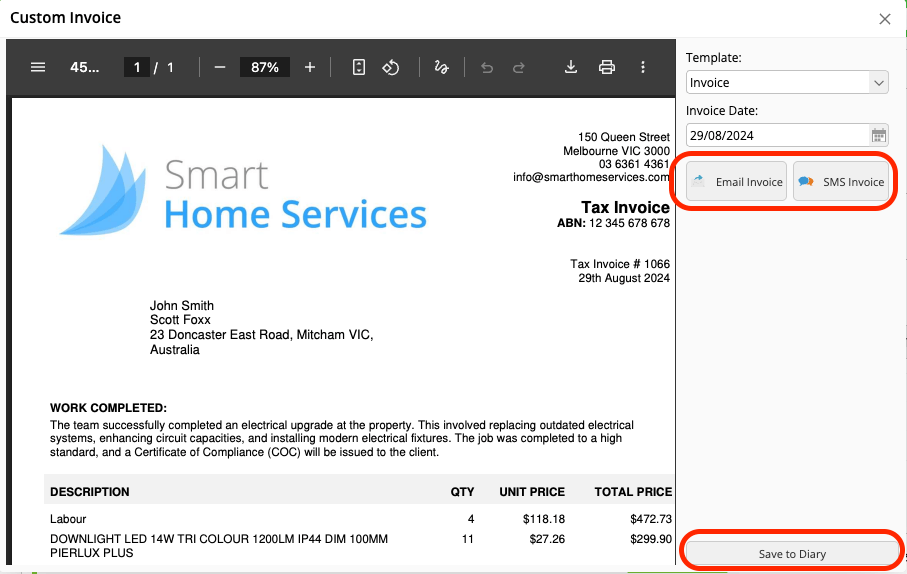
It means billing activity sits alongside site visits; job notes; photos; status changes, so when you open the job later, the money side of the story is there too.
This is particularly useful if:
- more than one person touches billing
- jobs stay open over a longer period
- quotes are revised before approval
- invoices are queried weeks after completion
Instead of asking “did we change this?” or “when was that sent?”, you can just look.
It also fits with the wider shift in ServiceM8 towards clearer timelines. If you’re already paying attention to timestamps and reporting, having billing actions visible in the diary fills in one of the last gaps.
There’s nothing to set up here. It’s just an extra action available while you’re working on quotes and invoices. If you notice it and use it, your job diaries become far more useful over time.
ServiceM8 covered this as part of their broader billing updates post the introduction of the enhanced job card here: https://www.servicem8.com/uk/updates/enhanced-job-card-streamlined-quote-invoice-actions

