
In one of the more recent ServiceM8 updates, they launched the ability to create your own custom badges. This meant that you could label clients and jobs exactly as you wanted.
But, did you know, you can do more than just label up jobs and clients with these badges – you can actually use them with Zapier to create your own custom automations.
Let’s say you want to be notified when a specific type of customer’s job is finished – perhaps you want to recognise some commission that’s due, or send the customer a personalised email, or add that customer to another bit of software…
You can use a custom badge to identify that customer or job and then use it as a filter within Zapier to do things based on that badge.
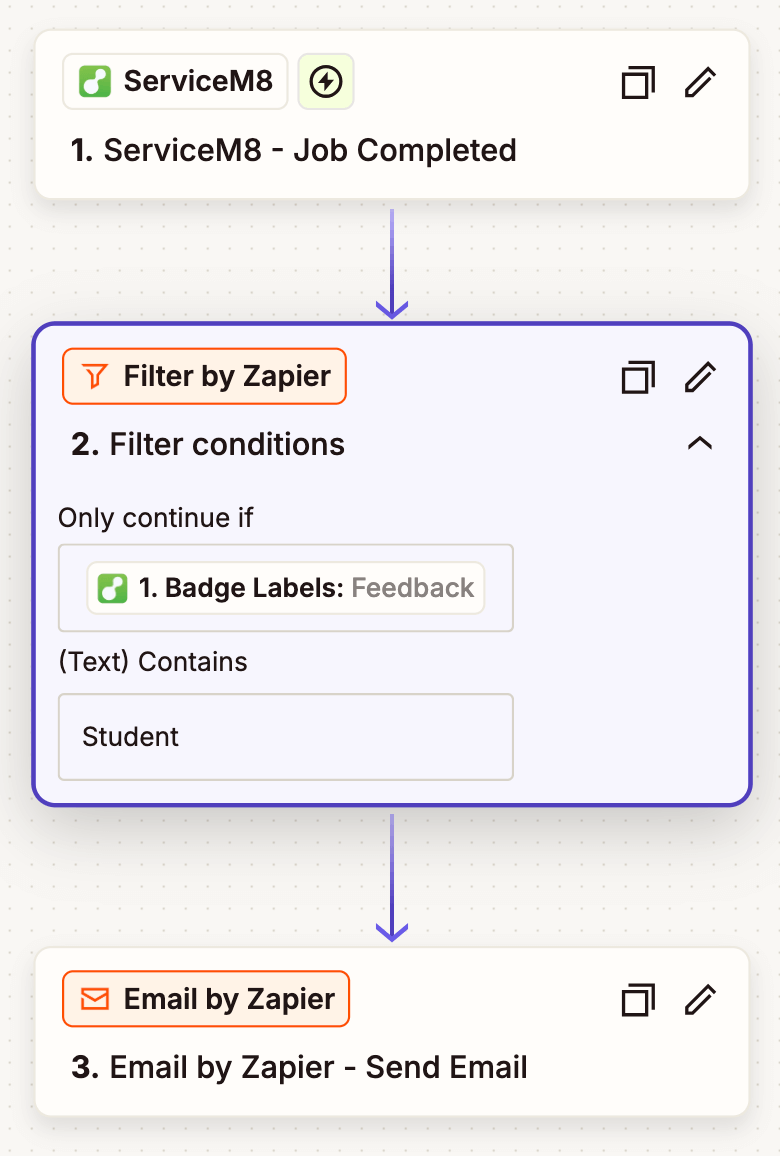
In the example below, I wanted to send myself an email notification when a ServiceM8 job was completed for my course Students –
I created a custom badge in ServiceM8 and labelled it ‘S+S Student’
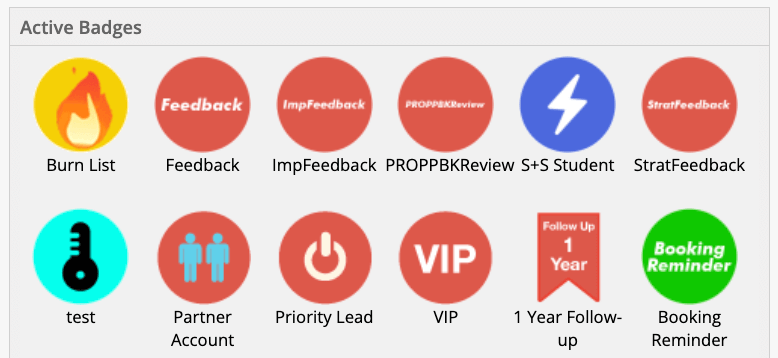
I then created and filtered the zap by my (custom) badge label where the text of the badge contains ‘Student’
Don’t know much about Zapier?
Zapier is software tool that provides a platform for workflow automation, application integration, and AI orchestration. Its product enables users to connect web-based applications and automate tasks.
I can help you automate more with Zapier + servicem8 > drop me a line at hazel@hazelwhicher.co.uk and tell me what you need.

