
When did you last review your prices? Here’s the quickest way to do it in ServiceM8.
Prices go up. Materials cost more. Labour costs more. But it’s easy to let your ServiceM8 price list drift out of date, especially if you’ve built up a long list of items over time and the thought of going through them one by one feels like a job in itself.
The good news is you don’t have to do it one by one.
Export, update, re-import
On the Materials and Services page in your ServiceM8 online dashboard, there’s an Export Items button in the top right corner.
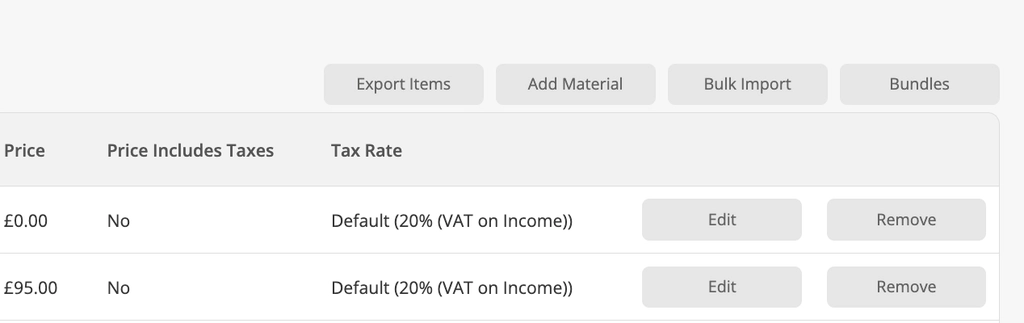
Click that and you’ll get a spreadsheet of your entire price list: every item, with its item code, name, and current price.
From there you can review everything in one view, spot the items that need updating, make your changes, and use the Bulk Import button to bring the updated list back in. It’s a much faster way to do a meaningful price review than editing items individually.
It’s worth doing this at least once a year, and more often if your supplier costs are moving around regularly.
If you’re synced with Xero or QuickBooks Online, read this first
Once your items are synced between ServiceM8 and your accounting package, price changes made in either system will update the other within around 30 minutes. That’s normally very useful, but it does mean you need to be aware of one thing: if your bookkeeper or accountant makes pricing changes in Xero or QuickBooks at the same time as you’re doing a bulk update in ServiceM8, you could end up with conflicts or changes being overwritten.
Just let whoever manages your accounts know before you do a price review, so you’re not both making changes at the same time. Make your updates in ServiceM8 and let them sync through, rather than making the same changes in both places.
A few things worth considering while you’re in there
- Are there items you no longer use that are cluttering up the list?
- A tidy price list is easier to work with in the field. Archive items in Xero if you’re not using them anymore.
- Are your item codes consistent and logical? Good item codes make bulk import easier and reduce errors
- Are there items where your cost price has gone up but your selling price hasn’t moved? This is often where your margin gets erodes.
It takes less time than you’d think, and if a price review helps you recover even one or two items you’ve been undercharging on, it’ll have been worth it.
When did you last review your prices?

