
What goes where – how to use your Product Map to save time on admin
A couple of weeks ago I shared a free Product Map template – a simple Google Sheet to help you document every service your business offers, with all the detail that sits around it. If you missed it, the idea is to step outside ServiceM8 for a moment and look at your whole offering clearly, before you go back in and build or improve your setup.
This week is the natural next step.
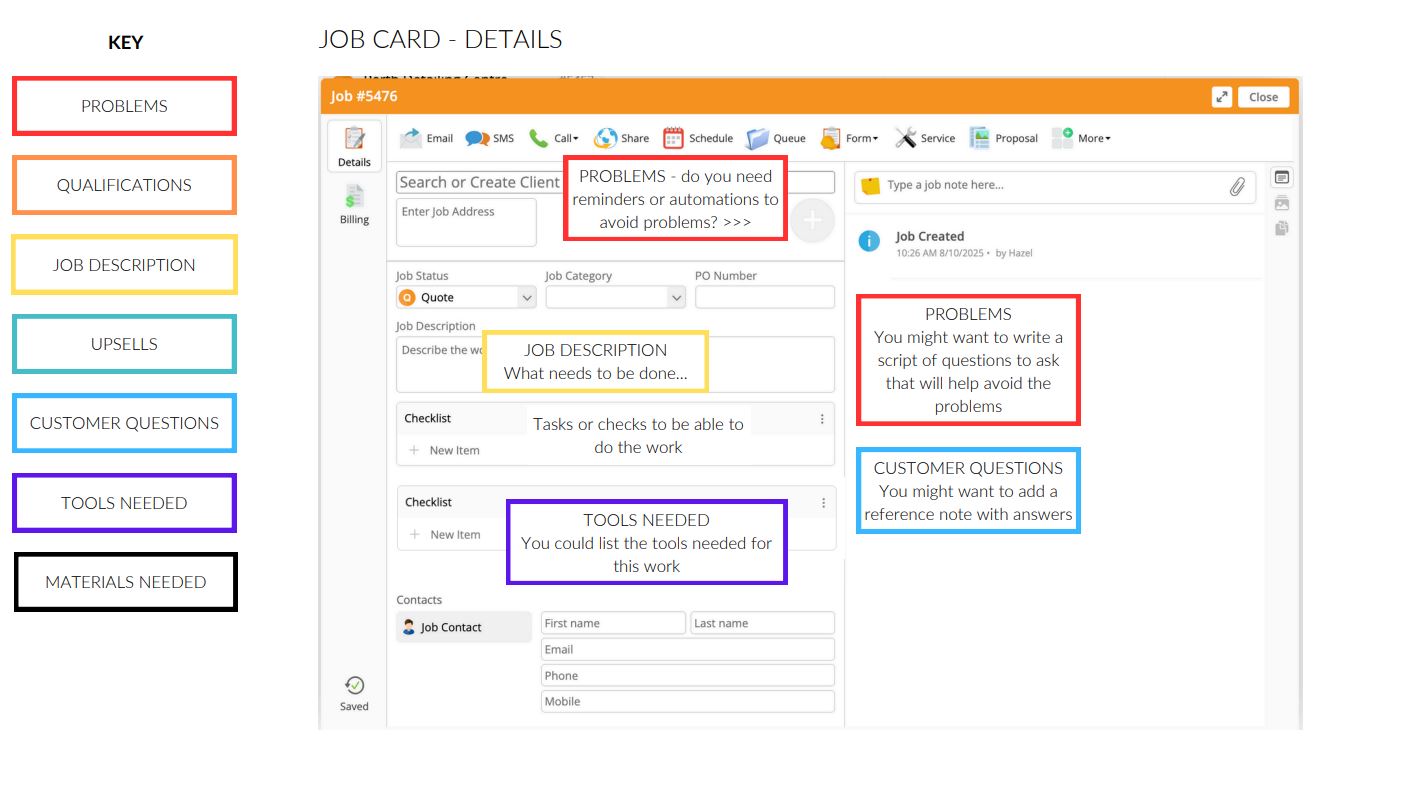
Once you’ve got your Product Map filled in, the question becomes: where does all of this information actually go in ServiceM8? Because the whole point of doing the exercise to actually USE what you’ve captured to make your ServiceM8 account work harder for you.
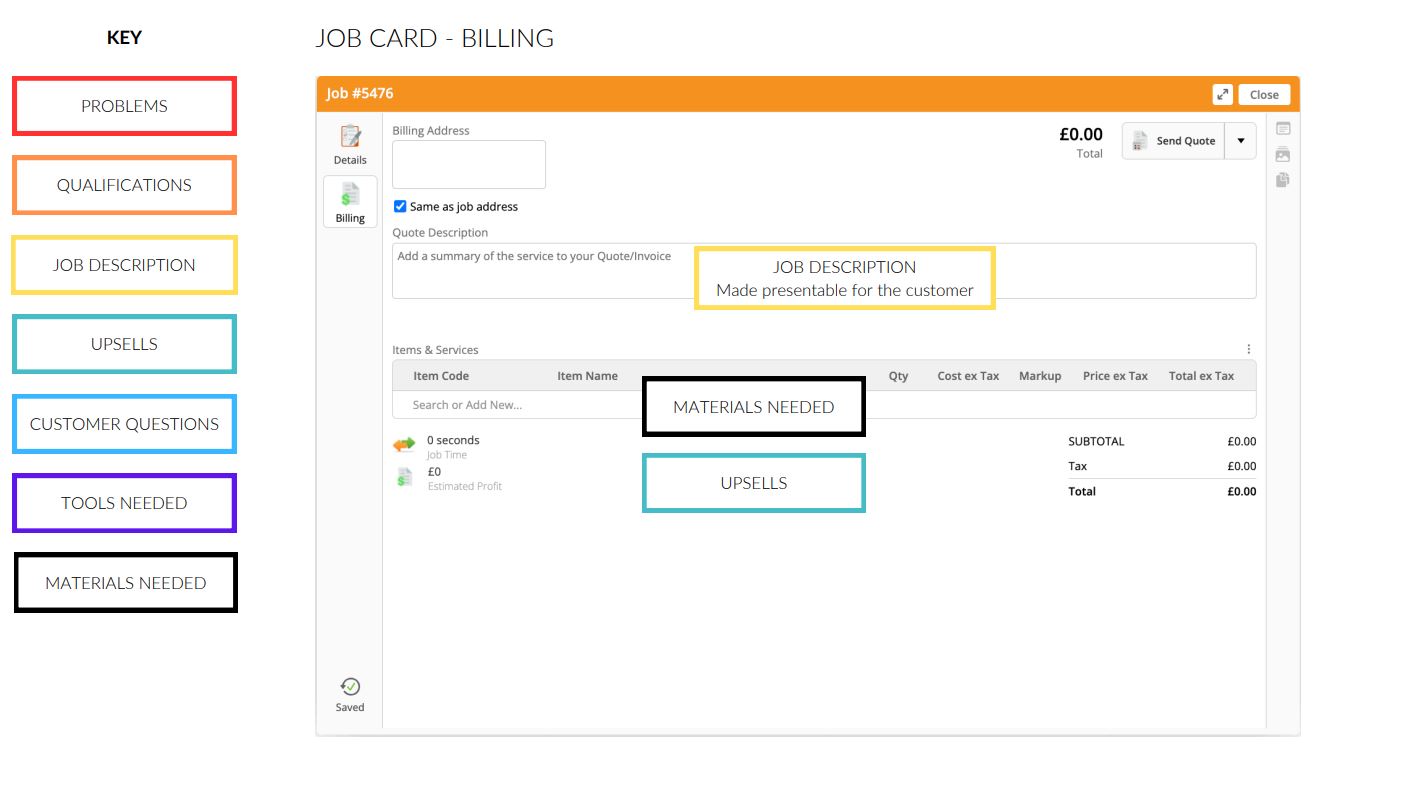
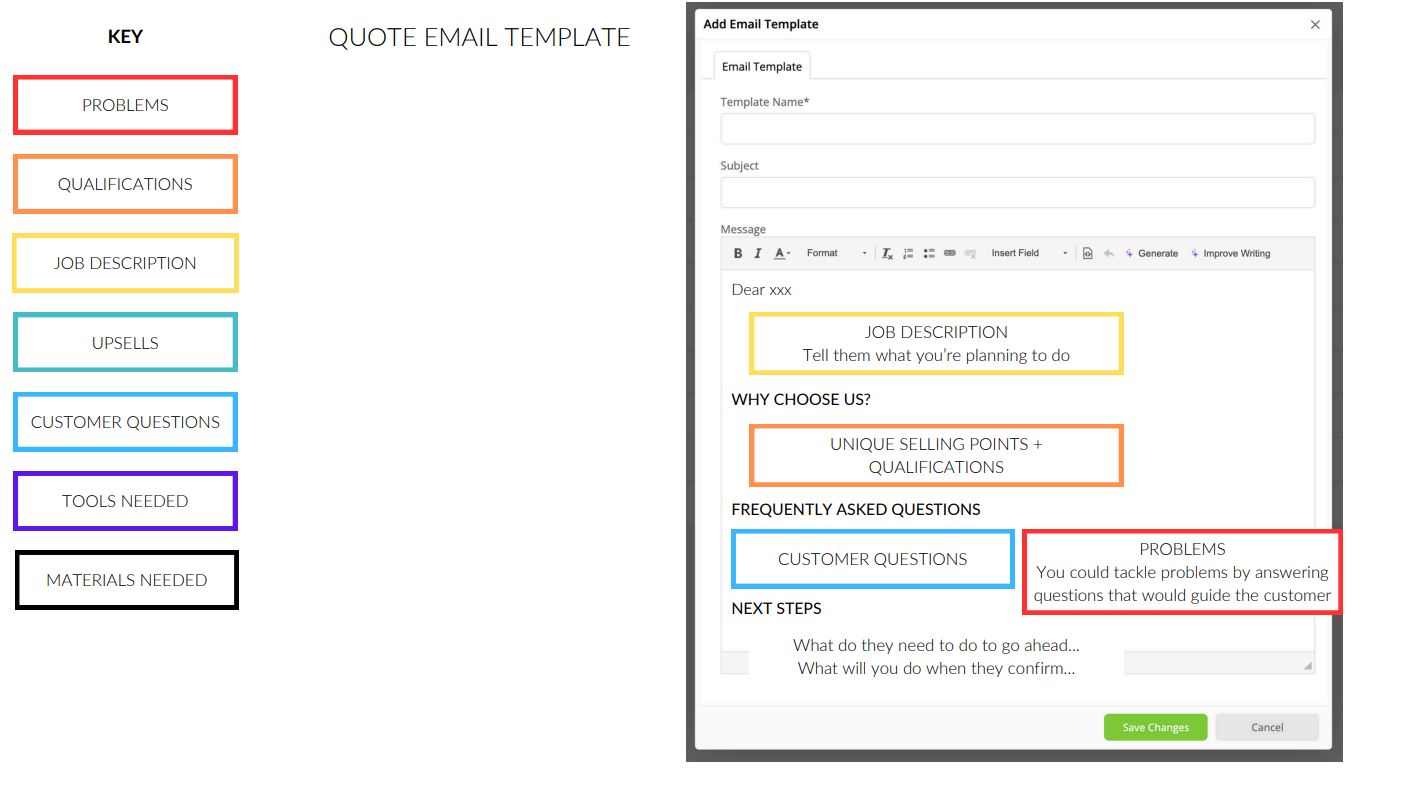
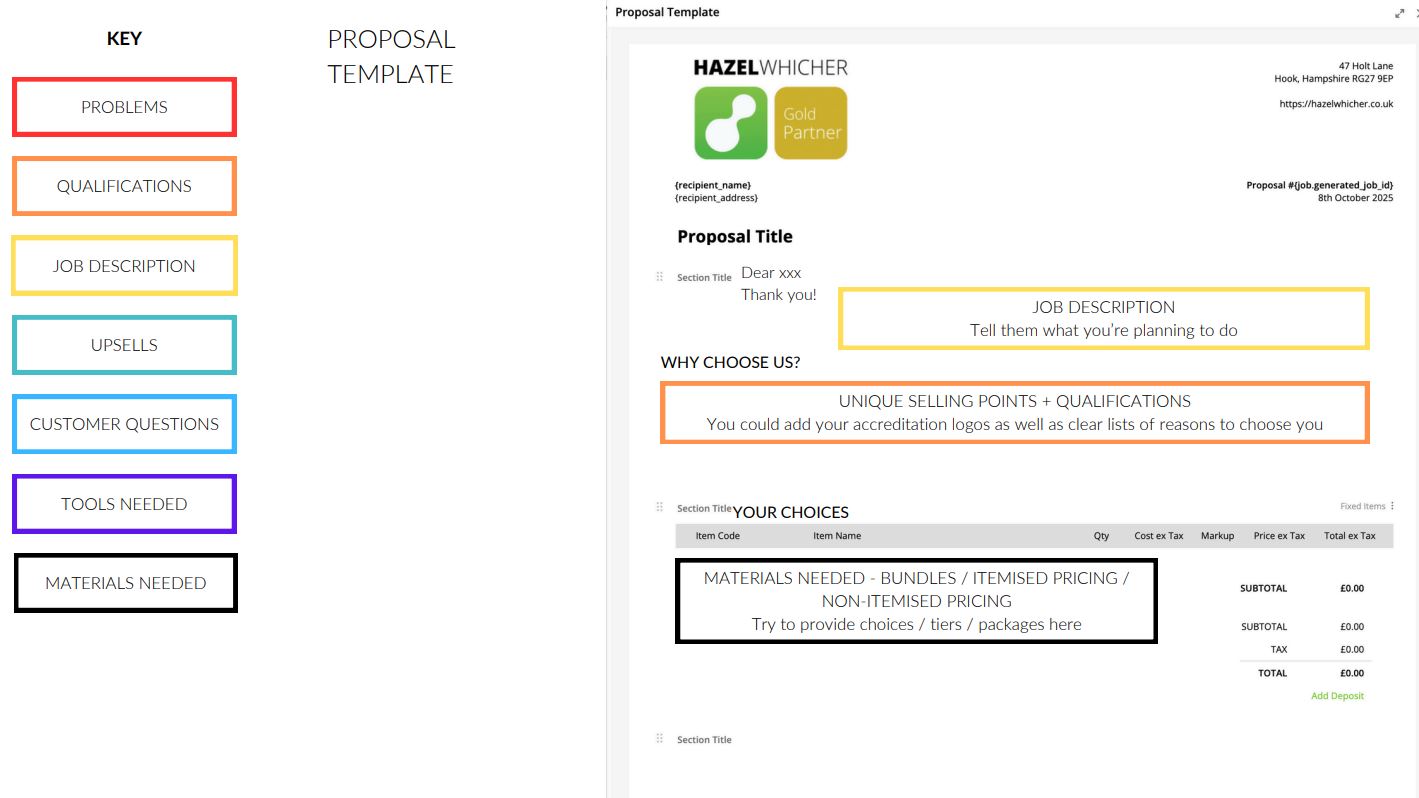
I’ve put together a reference document that shows exactly where each element of your Product Map connects to in ServiceM8. It maps the information you’ve gathered across your job card, your billing tab, your quote and invoice email templates, your proposals, and your invoice template – with notes on how to use each piece of information effectively in each place.
A few examples of what it covers:
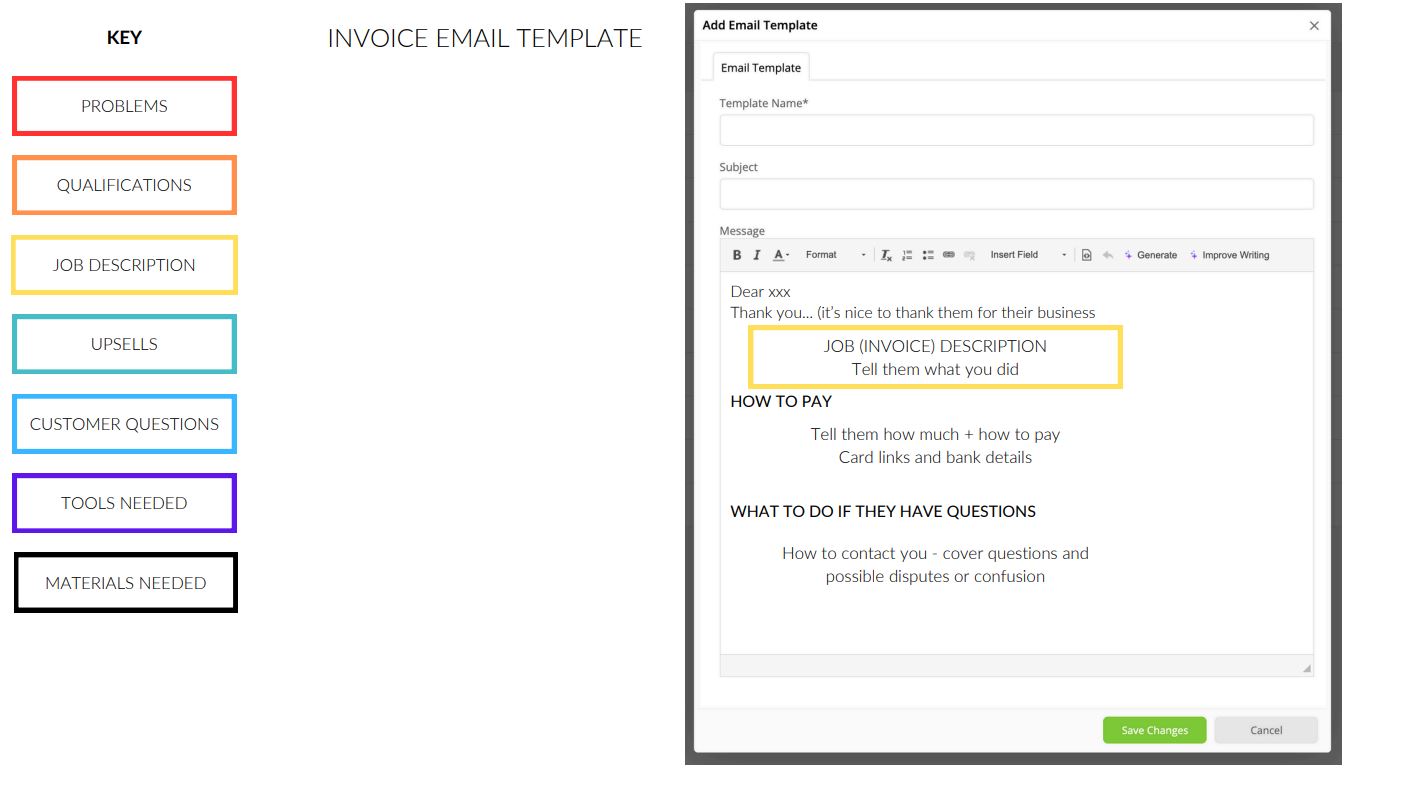
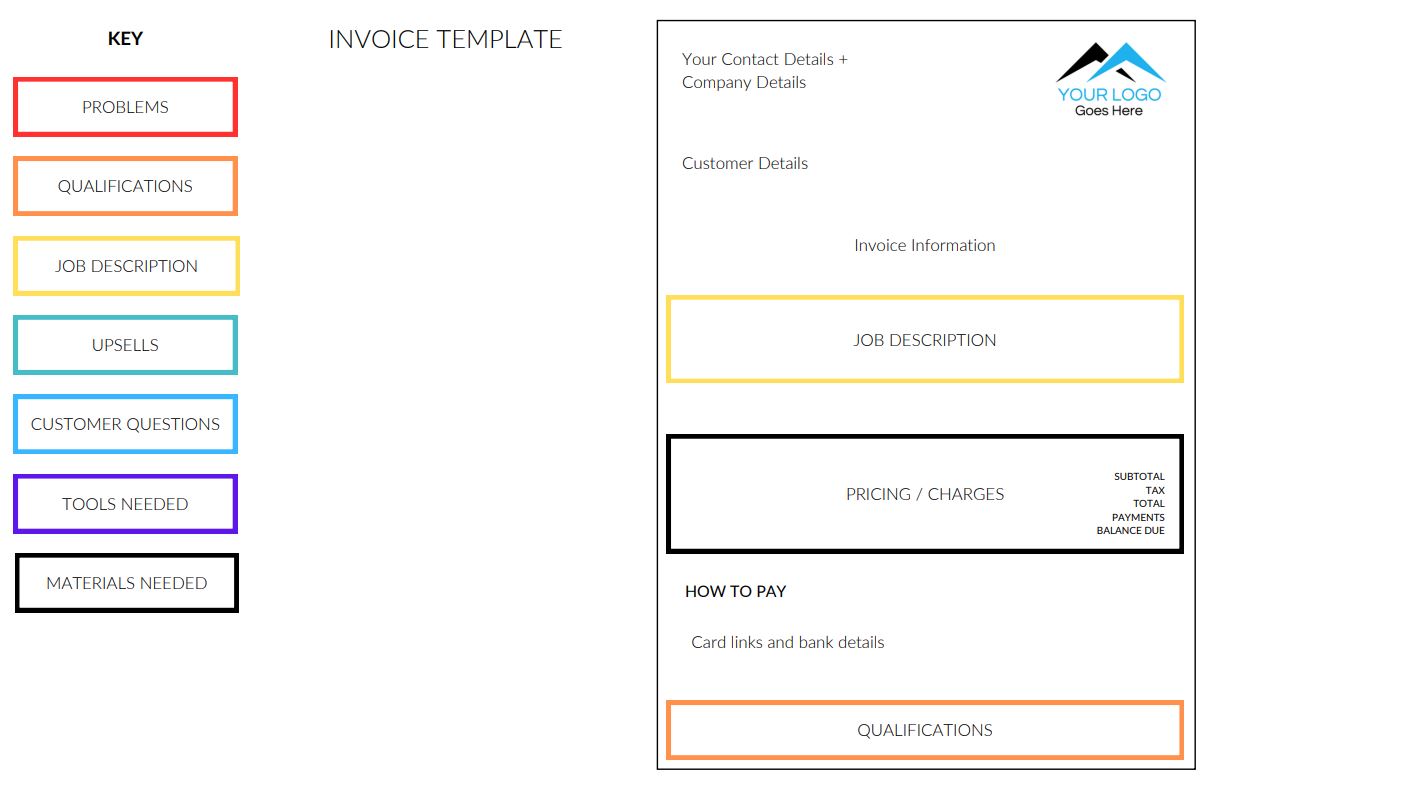
- Your job description becomes the basis for what goes in the job card details tab, and a more polished version of the same content goes into the quote and invoice description that your customer actually sees
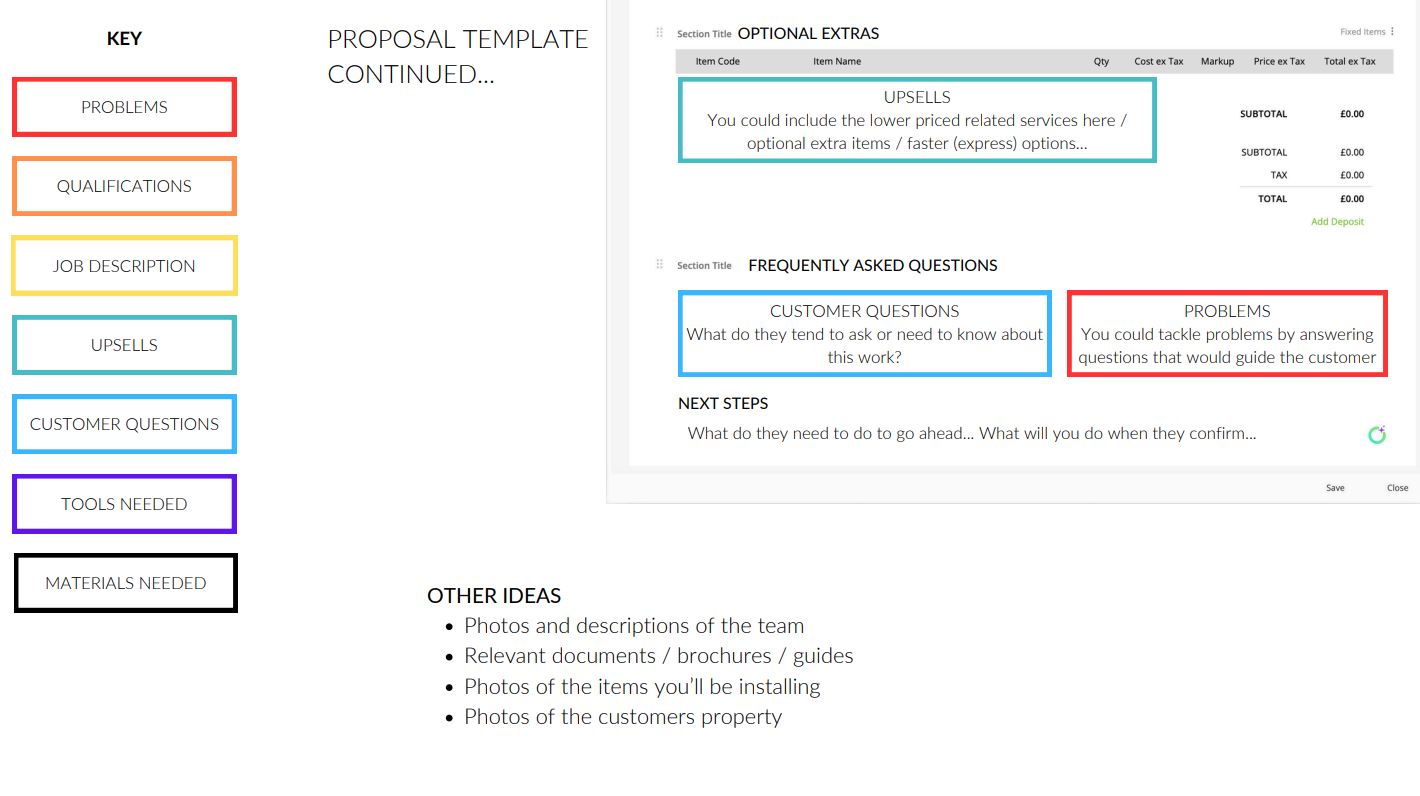
- The common customer questions you’ve documented can feed directly into your quote email template as a frequently asked questions section, and into your proposals to handle objections before they come up
- Your qualifications and accreditations have a place on both your proposals and your invoice template, reinforcing trust at the point of decision and at the point of payment
- Upsell opportunities you’ve identified map to the optional extras section of your proposals, where they’re easy for a customer to add without feeling pressured
It’s a practical, visual reference you can keep open while you’re working on your templates.

