2nd December 2025

|

ServiceM8

Use the job edit history feature to view previous job descriptions

If you’ve used the ServiceM8 Services feature, then you may have had the sudden realisation and disappointment that the job description gets cleared and overwritten.

I wanted to give you a couple of options for preventing or mitigating against this frustration.

EITHER –

Make sure that the service doesn’t add anything to the job description – if there’s no job description in the service when you apply it, then the existing description will stay put when you apply the service to that job.

OR –

If you want to update the job description with information added by the ServiceM8 service, but you don’t want to lose notes or extra information that’s been added, then you can use the Edit History feature on the job diary.

In the Online Dashboard, just filter the Diary to ‘Edit History’.
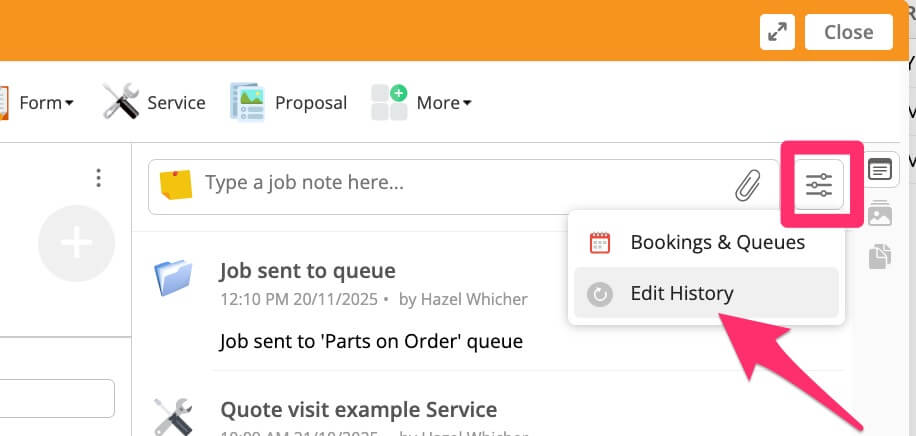
Job edit history

You’ll be shown all of the previously saved job descriptions and can then copy and paste from there…
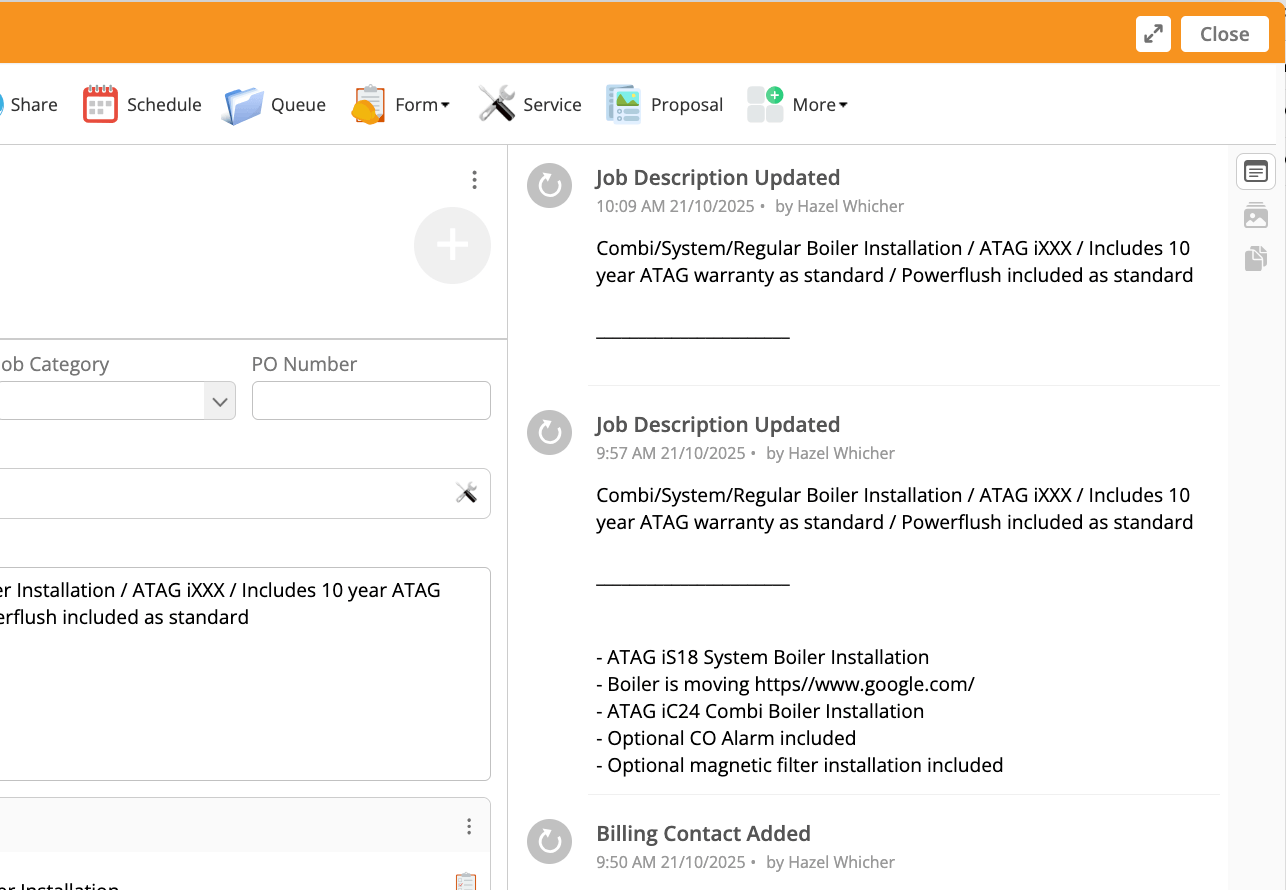
Job descriptions

I hope that helps!

Did you realise this feature existed?

Used it much?

REQUEST YOUR FREE
ServiceM8 ACCOUNT AUDIT

GET EXPERT 1:1 SUPPORT & TRAINING
FOR AS LITTLE AS £95

Leave a Reply

Your email address will not be published. Required fields are marked *

Hazel Portrait
ServiceM8 Logo - Gold ServiceM8 Partner Edition

Hi, I’m Hazel. I’m a Business Systems Specialist + ServiceM8 Gold Partner.

I can help you craft a business that’s easy and efficient to run.

I ran a plumbing and heating company for 10 years and in 2016 became a ServiceM8 Partner.

I’ve worked with hundreds of business owners just like you to implement easier and more efficient ways of running their business.

My mission is simple: to inspire you and help you develop an efficient and profitable business that gives you the time to do more of what you love.

IS SERVICEM8 RIGHT FOR YOU?

READY TO TRY OUT
SERVICEM8?

LOOKING FOR 1:1 SUPPORT & TRAINING?