
ServiceM8 SMS can now include photos and files – for you, this removes a whole load of back-and-forth that used to happen elsewhere.
If you’ve ever thought “I’ll just WhatsApp them a photo” — this is the fix for that.
What’s actually changed?
Using ServiceM8’s Two-Way SMS, you can now send and receive images (and some files) directly via SMS conversations.
That means:
- Photos sent by customers are recorded against the job
- Photos you send go straight to the customer
- Everything stays in one place, tied to the job record
No screenshots. No copying things across later. No “where did they send that again?”
Why this matters
This is especially useful for things like:
- Customers sending photos of a fault before you attend
- Access issues, meter locations, awkward installs
- Damage or issues you want recorded and timestamped
- Confirming work completed without a site revisit
Instead of long explanations, people just send a picture.
And pictures beat words every time.
It also cuts down on misunderstandings. You’re actually seeing what they mean, not guessing.
Why keeping this inside ServiceM8 matters
Yes, people can send photos via WhatsApp.
But then:
- It’s on someone’s personal phone
- It’s not logged against the job
- It’s easy to lose
- It’s a nightmare later if there’s a dispute
When photos come in via SMS, they’re part of the job history.
That’s better for continuity, accountability, and your sanity.
A couple of things to be aware of
This uses ServiceM8’s Two-Way SMS, so normal SMS rules still apply. You’re not turning it into a full chat app — it’s just making messages more useful.
Photos appear for the customer in their Messages app, and inside ServiceM8 they’re attached to the relevant conversation or job, not floating around randomly.
And like everything else SMS-related, it’s designed to be simple. This isn’t about fancy file sharing. It’s about getting the right info quickly.
Getting started
If you’re already using Two-Way SMS, there’s nothing dramatic to set up. When sending a message, you’ll see the option to attach an image. Customers can reply with photos in the same thread.
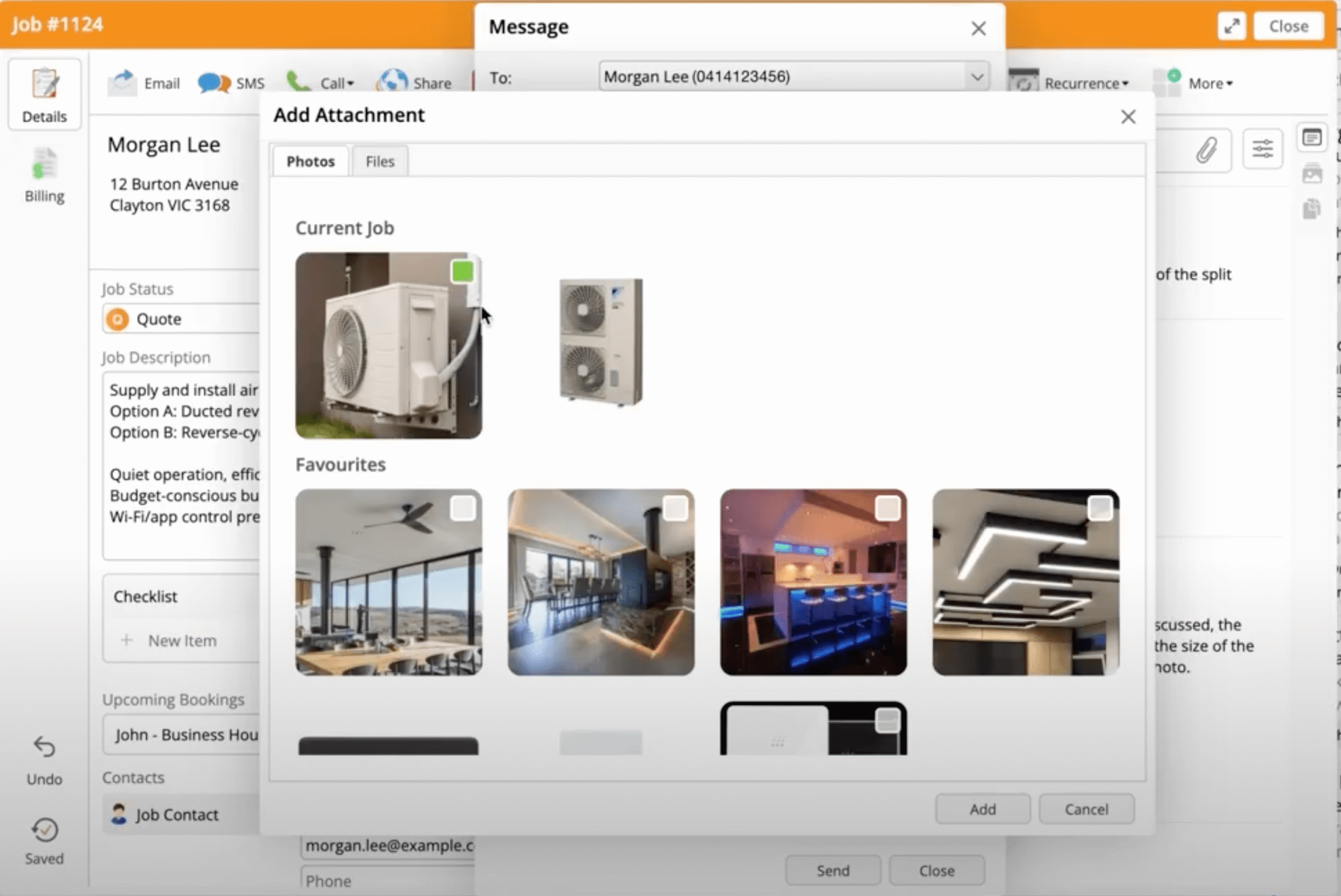
ServiceM8’s help article covers the detail here:
They’ve also shared a short overview on their blog if you want the official announcement version and a video explainer:
Have you used this feature yet?

