
If you manage a letting agent client with more than one property manager, you’ve probably struggled to work out how to send the email to multiple people; sent an invoice to the wrong person, or had to go hunting around elsewhere for the right email address.
To show you a fix for this, I’ll use ‘Watsons Property Management’ as an example.
Jeff, John and Sandra are all property managers there, each handling a different set of properties depending on the day and the issue.
First, use the Client Sites add-on so each property gets its own proper site record. That’s the bit most people already do.
The bit most then miss: also add Jeff, John and Sandra to the main head office client record, each with the Property Manager role.
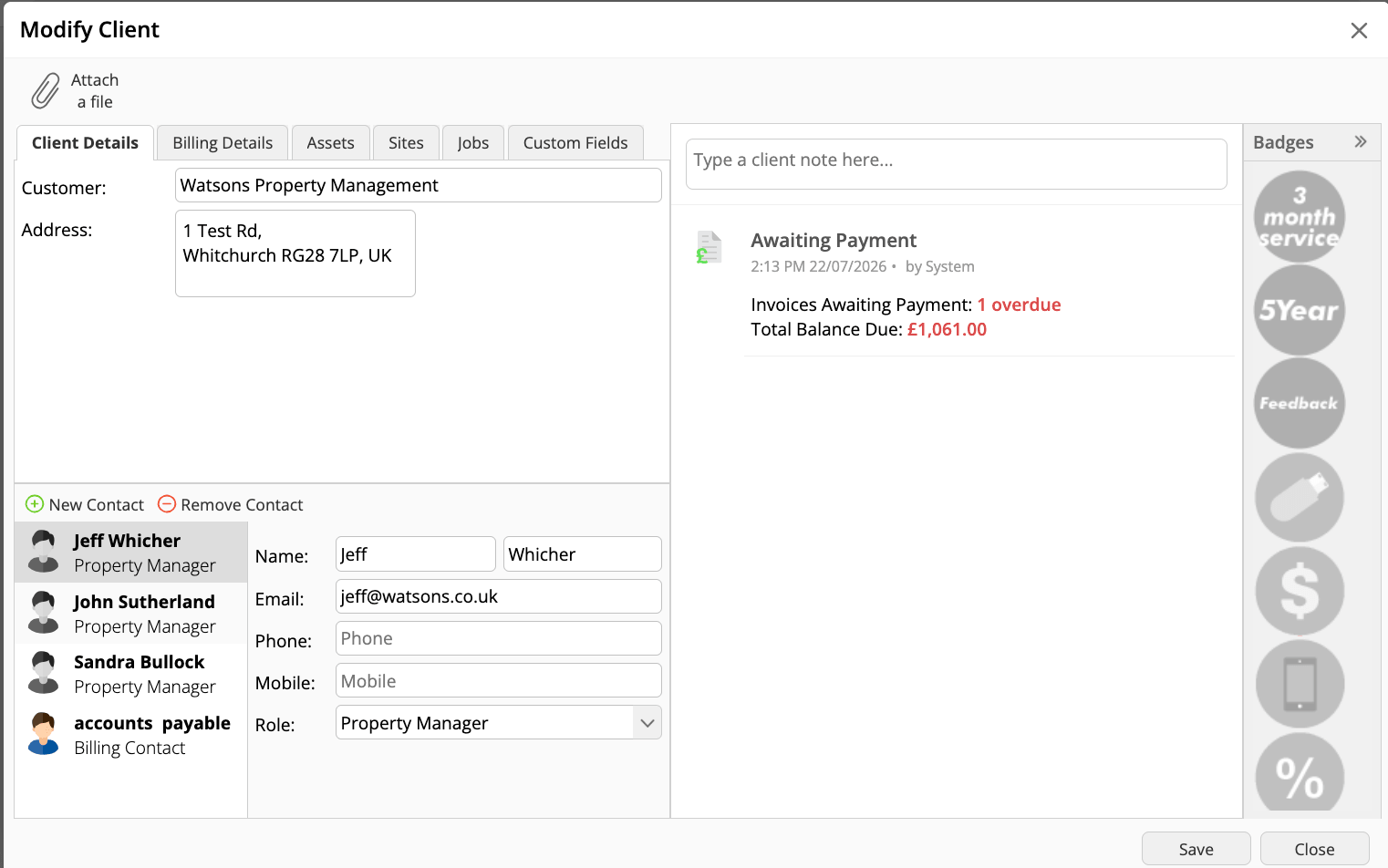
Once that’s set up, open a job for any site that Watsons Property management company manages and go to send the invoice.
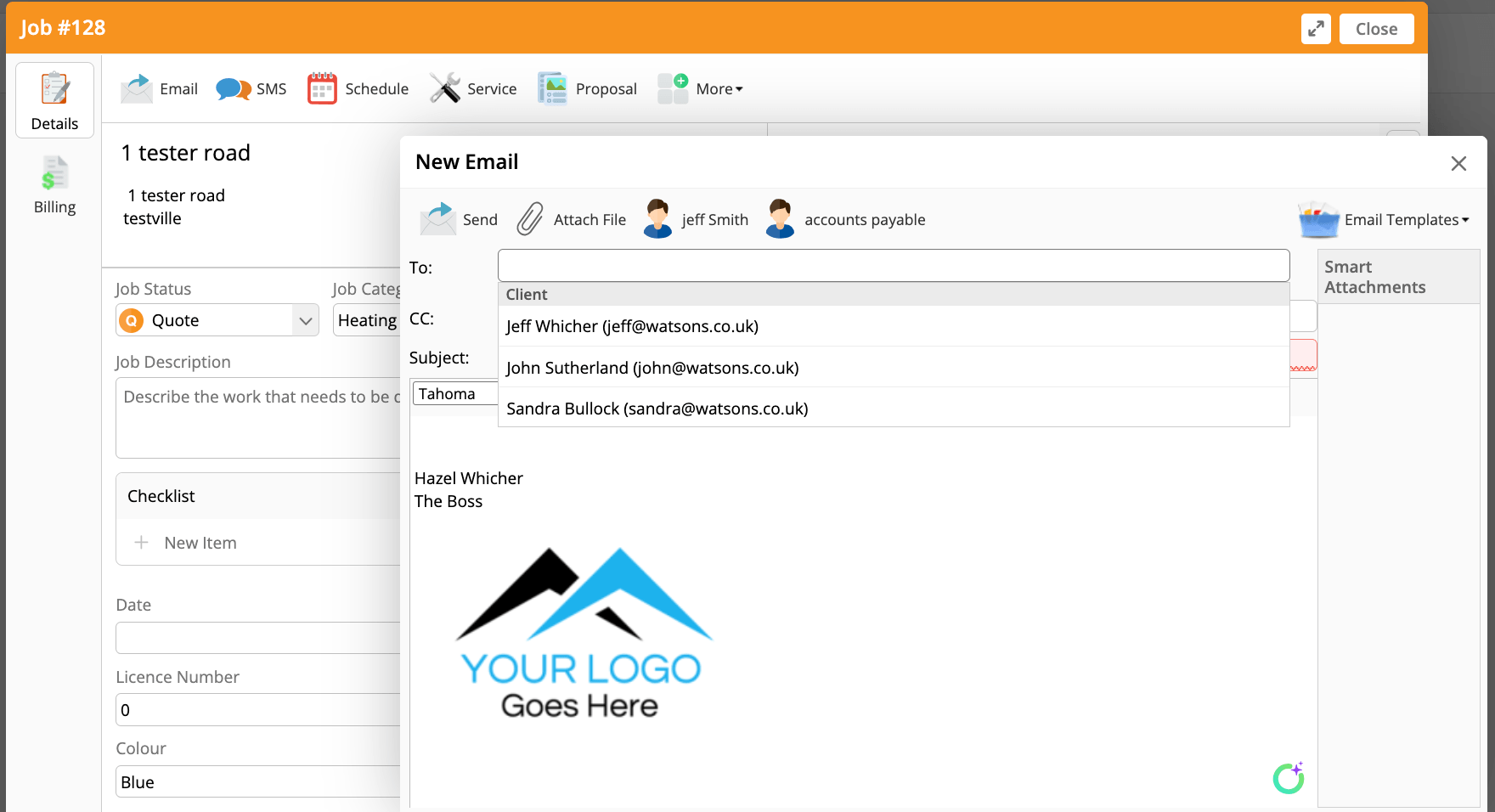
You’ll get a dropdown with all three of the property manager’s emails, alongside Jeff Smith (the job contact) and accounts payable (the billing contact).
You can send the email to one person, a mixture, or all of them.
Check on your own client records this week – How many only have one contact on file when there’s a whole team behind them?

