17th June 2025

|

ServiceM8

How to remember to do the tasks due after job completion

If you have jobs that require follow-up tasks after completion, you’ll want to make sure you’ve got this one setting switched on…

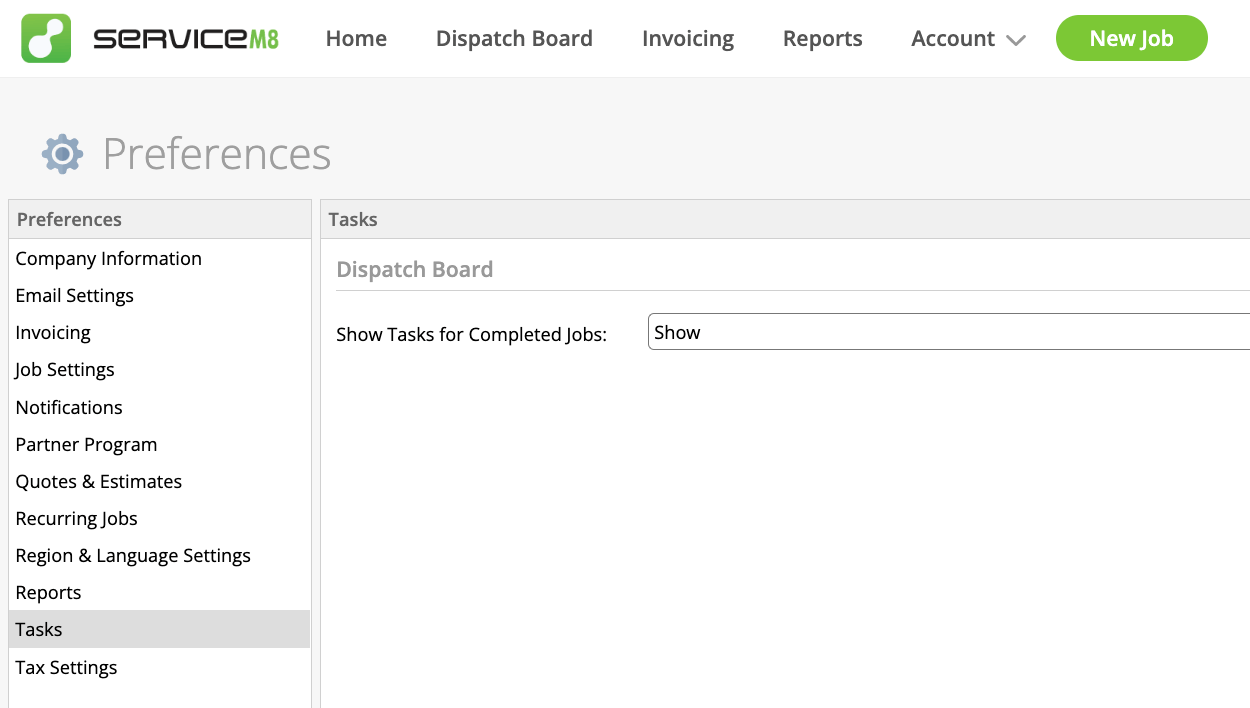
Go to Account > Settings > Preferences > Tasks

Change ‘Show Tasks for Completed Jobs’ from HideShow

Tasks

Note that this only applies to the tasks listed online in the Dispatch Board > Tasks (i.e. not in the ‘My Tasks’ views in the Home tab or the iOS app).

Do you use tasks?

How do you feel about the changes made to tasks in the last ServiceM8 upgrade in September 2024?

REQUEST YOUR FREE
ServiceM8 ACCOUNT AUDIT

GET EXPERT 1:1 SUPPORT & TRAINING
FOR AS LITTLE AS £95

Leave a Reply

Your email address will not be published. Required fields are marked *

Hazel Portrait
ServiceM8 Logo - Gold ServiceM8 Partner Edition

Hi, I’m Hazel. I’m a Business Systems Specialist + ServiceM8 Gold Partner.

I can help you craft a business that’s easy and efficient to run.

I ran a plumbing and heating company for 10 years and in 2016 became a ServiceM8 Partner.

I’ve worked with hundreds of business owners just like you to implement easier and more efficient ways of running their business.

My mission is simple: to inspire you and help you develop an efficient and profitable business that gives you the time to do more of what you love.

IS SERVICEM8 RIGHT FOR YOU?

READY TO TRY OUT
SERVICEM8?

LOOKING FOR 1:1 SUPPORT & TRAINING?