
This is available in the personal version of WhatsApp and it’s great if you’ve not yet found a way of using WhatsApp business (or keeping communication within ServiceM8!)
These custom lists are essentially filters that group conversations together
Separate family, friends, and other groups and conversations any which way.
I use emojis for the list names as they’re shorter, quicker to understand and prettier 🙂
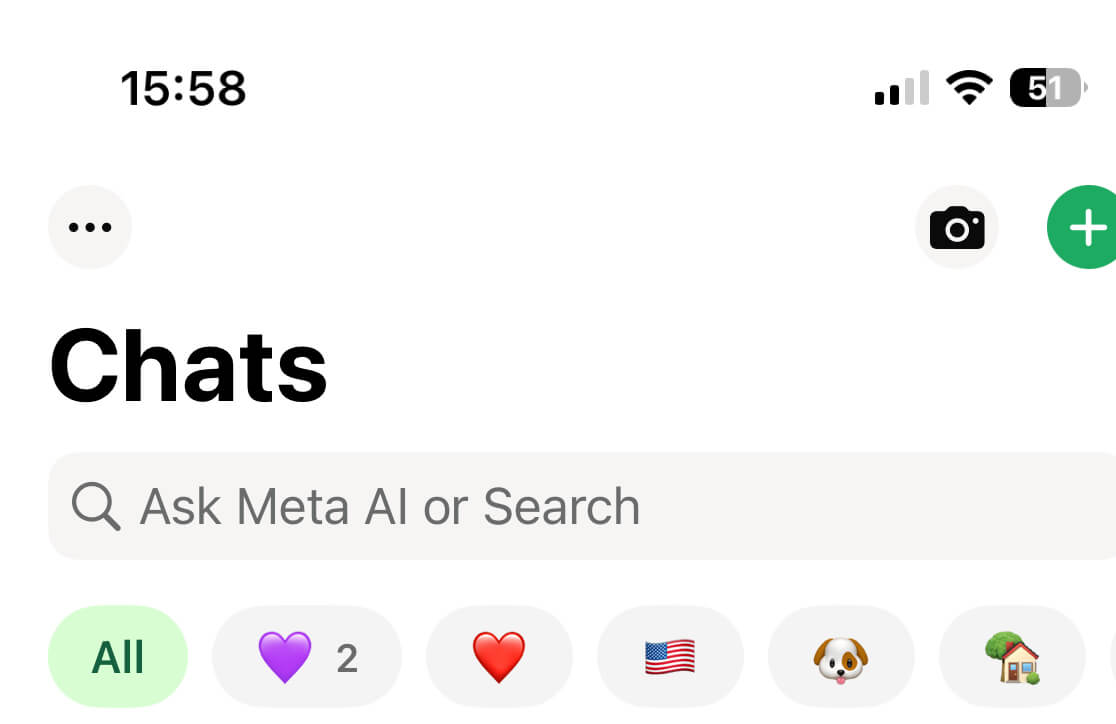
Create a new WhatsApp list
Go to Settings > Lists > New list.
Note:
- You need to add at least one chat to create a list.
- You can add and remove chats from the list after creation.
Add or remove chat from list
- Tap and hold the chat.
- Tap Add to list.
- Select the list and tap Done.
- To create a new list, tap New list > Add a name for your list > Done > Done.
- To change list, tap list to deselect and then tap a different list. Tap Done.
- To remove from list, tap the list to deselect and then tap Done.
Find out more here: https://faq.whatsapp.com/1102928584767164/
Did you know about the Lists feature?
Do you use it to split out work conversations from home conversations?

