
Since the change to the billing area of the job card, you’ll have noticed that the option to generate a work order is now gone.
Plus, the work order support ‘add-on’ is now unavailable for new users.
Even though you can still use the More > Print > Work Order button on the job card, it doesn’t save the result to the job diary.
Why might you want a work order?
- You might have staff or apprentices who aren’t on ServiceM8 yet… or perhaps those you just can’t pull away from paper.
- You might want to use the work order to summarise information you’ve captured in a service (for example – tools needed on the job) together with the customer details and the items they’ve selected on their proposal.
So, take your work order template and turn it into a form.
All you need to do is create a ServiceM8 form with one question – ‘Generate work order’ and that question needs one answer of ‘Yes’.
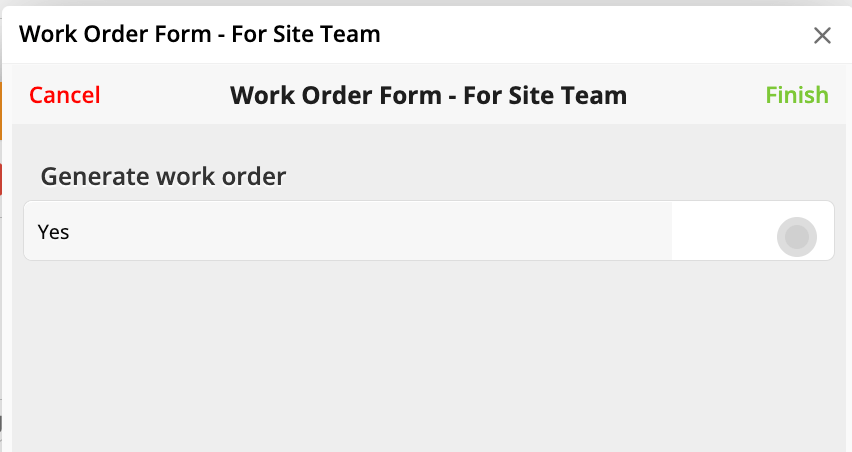
Upload your existing work order word template to the form, using the ‘custom’ option in the dropdown….. and bob’s your uncle.. you have a working ‘work order form’.
Do you use work orders?
What do you use them for?

