
The ServiceM8 Job Costing add-on shows you how much profit you will, or have, made on each and every job.
One important factor is how much admin time you’re spending on jobs – this is often a hidden cost for businesses, but one that ServiceM8 is actually able to show you.
It does this by tracking the total amount of time you spend inside ServiceM8 working on the Job Card. This helps to highlight situations where you spend hours preparing a detailed quote for a relatively low-value job.
Admin time tracking only counts time spent with the Job Card open and the mouse/keyboard active — so if you leave the Job Card open while you go to lunch, ServiceM8 is smart enough to exclude that from the “Admin Time” total.
The hourly rate for admin time defaults to $20/hr – but your admin cost per hour is likely to be different.
You can change this admin time cost:
- Go to Account > Materials and Services
- Search for ‘Admin Time’ (Assuming you’ve already switched on the job costing add-on…)
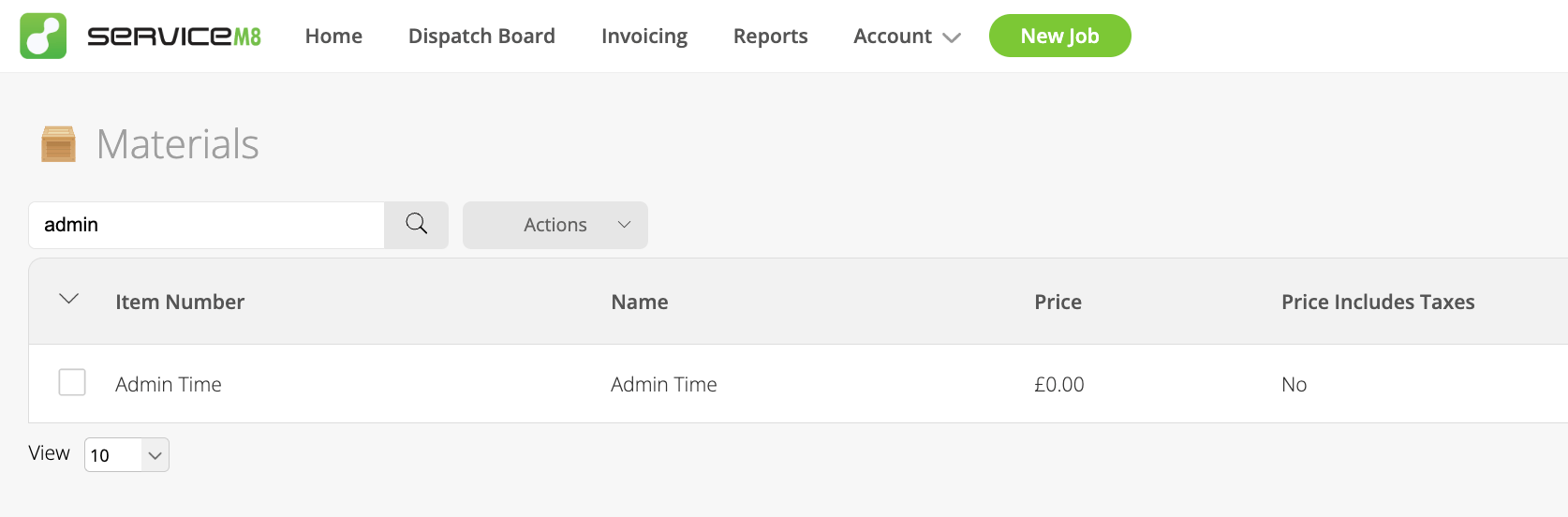
- Click on Edit
- Change the Purchase Cost to whatever you pay your admin team (or what it costs you to do the admin yourself)
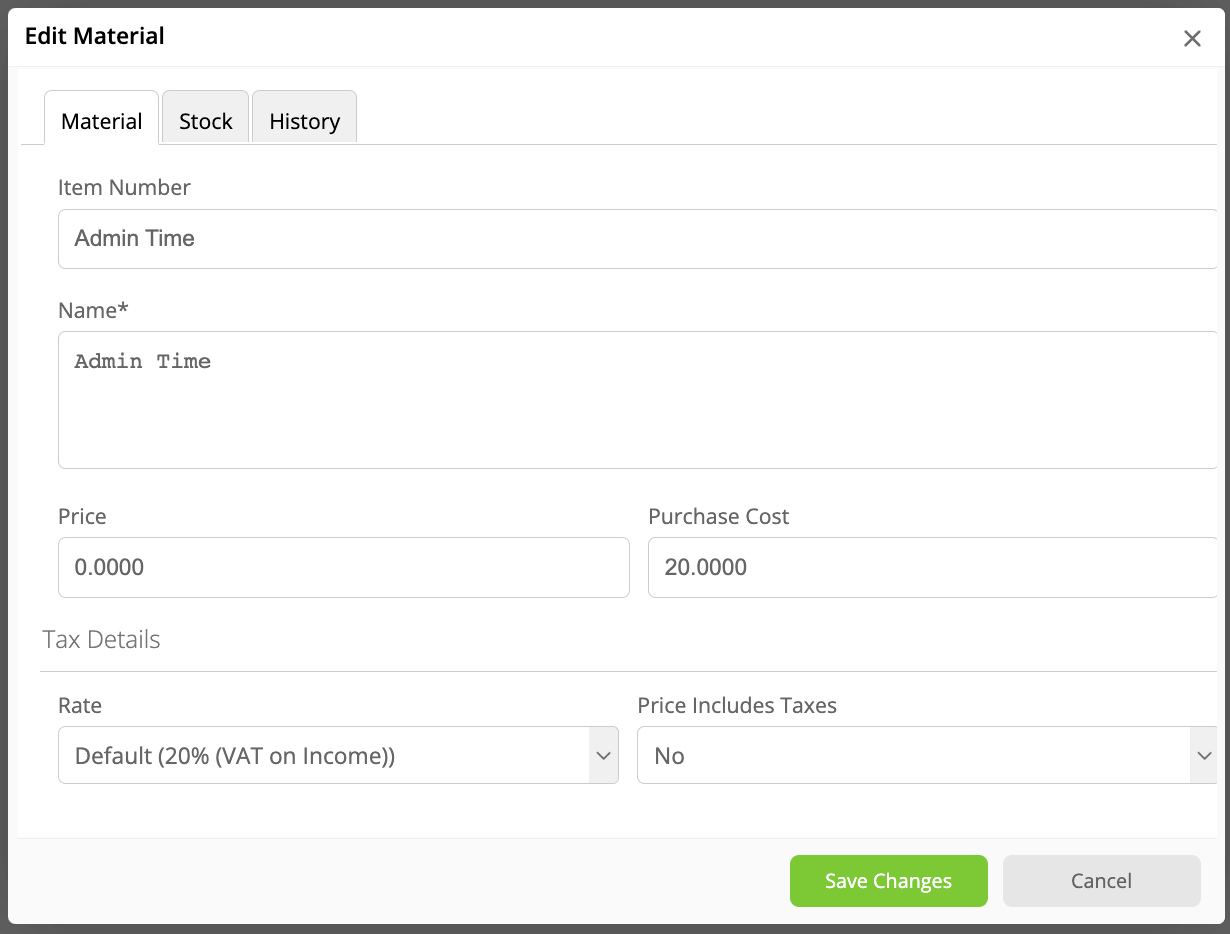
You’ll then see the admin time counted up and costed at the rate you have to pay for it, which will make your profit calculations even more accurate.
Do you use Job Costing to check your profitability on every job?
If not, why not? No one wants to be a busy fool…..!

